Everything Plezo does, on one page.
A question, the places you ask it, and the answers. Here is all of it.
The question
One scored question in words your customers know, and an optional follow-up. Choose a type, give it a name, and it's ready to share.


- Four types
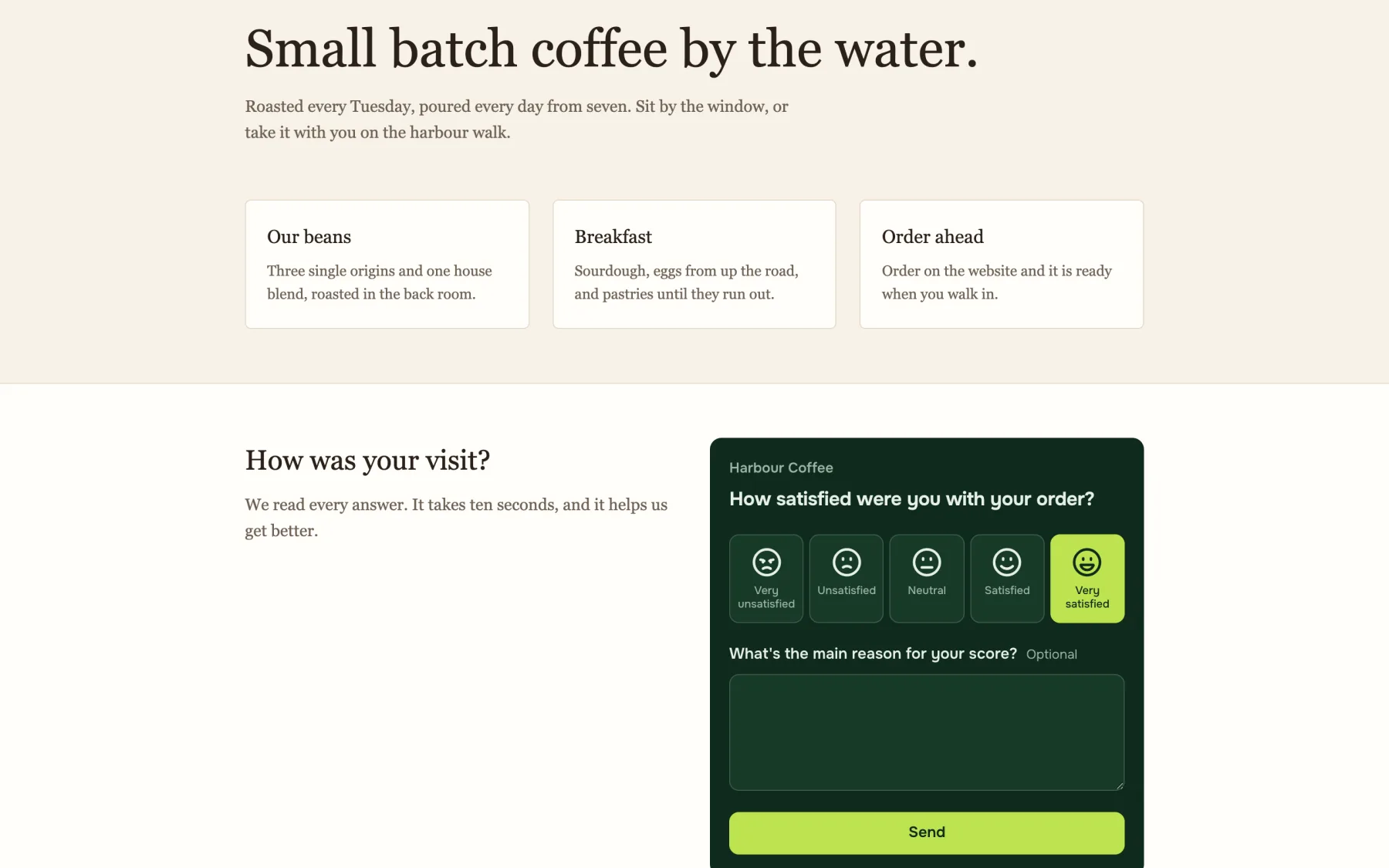
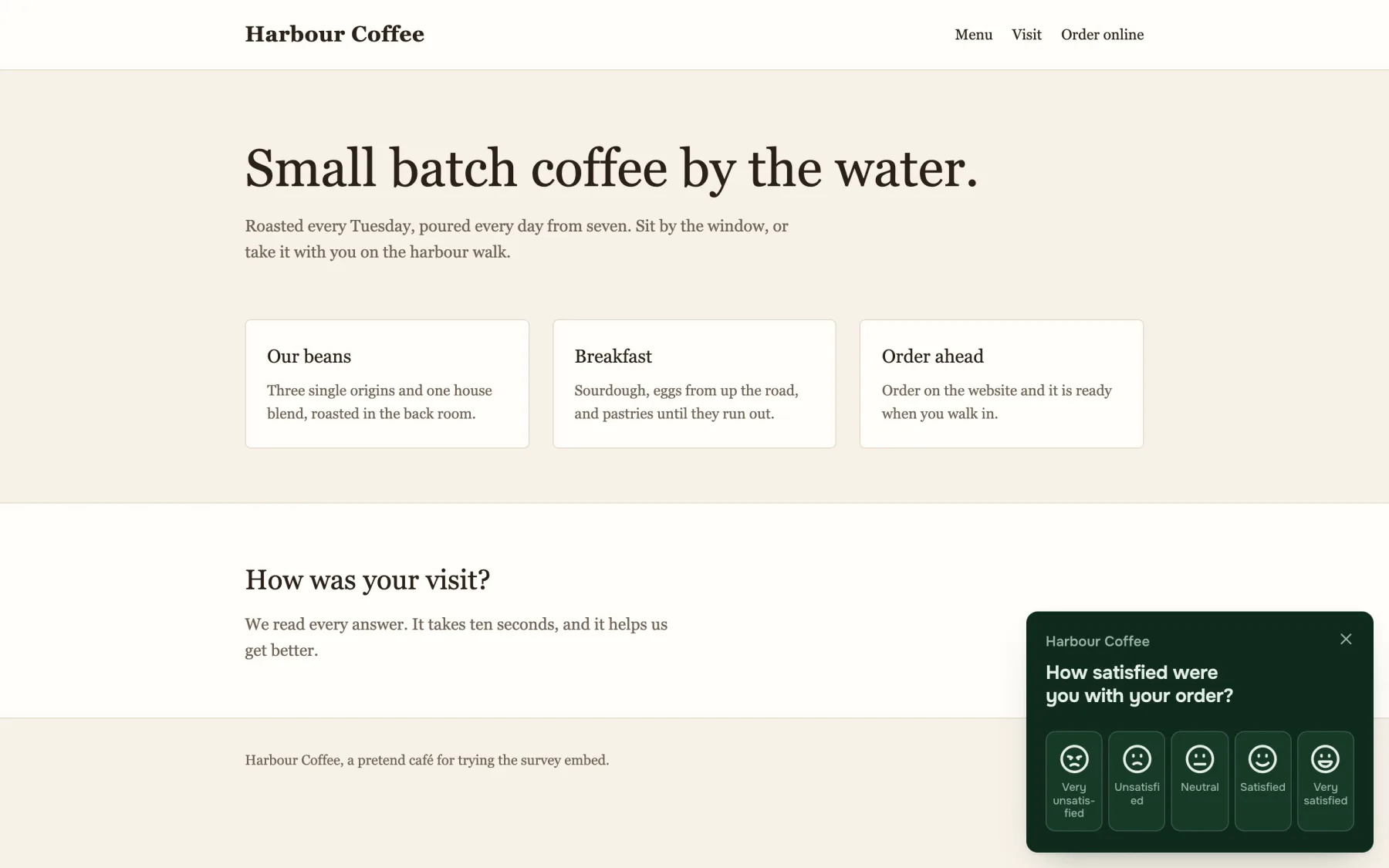
- NPS from 0 to 10, CSAT as five named faces, one to five stars, or thumbs up or down.
- The standard question
- Each type starts in the words every business uses, so your score means what people expect.
- The main reason
- After their score, customers can say why. It's optional for them, and you can switch it off.
- A tap is an answer
- The score counts the moment it's tapped, even if they don't write a reason.
- Made for a thumb
- Every button is sized for a phone, and every face carries its name.
- The same survey everywhere
- A link, a QR code, an email and your website all open the same calm survey.
In your customers' languages.
The survey speaks English, Dutch, German, French, Spanish, Italian and Polish, and opens in the language of the customer's device.
Sharing it
Give each place you ask its own link, like Counter or Newsletter. Every answer remembers where it came from.


- As many links as you like
- Counter, Receipt, Newsletter, Website. One for every place you ask.
- QR codes
- Every link has one, as a PNG for your own design or a sheet ready to print.
- Names only you see
- Customers never see a link's name. It's there to tell your answers apart.
- Works in any inbox
- The snippet is text and emoji rather than images, so email clients show it as it is.
- Copy for email, or HTML
- Paste it straight into your email editor, or take the HTML for your own template.
- No sending from Plezo
- You share it in your own channels, so Plezo never needs a list of your customers.

Works with Bellbee. Bellbee's guest pages can ask your Plezo surveys, about the stay and after a request is done. The answers arrive here like any others, and nothing about your guests comes with them.
On your website
Paste one line of code. The survey appears in your page, or as a small one in the corner of any page.
The answers
How everything is going on one page, the same for each survey on its own, and every single response.

Every response, and a CSV.
Read every answer, newest first. Filter by survey, link, score and dates, and take it away as a spreadsheet.

- The Overview
- Every survey's score up front, how it moved, the breakdown and the latest comments.
- By link
- Each survey's results put its links side by side, so you see whether the counter or the newsletter does better.
- What people wrote
- The latest comments, each beside the score it came with.
- Filters
- Narrow it down by survey, link, score and dates.
- CSV export
- Take every answer away to a spreadsheet in one click.
- Read the way the type is
- NPS as promoters, passives and detractors, CSAT as a ring, stars as stars.
Ask your first question today.
Free for 14 days, no card needed. Your first survey takes a minute.
Start free trial